How I use it
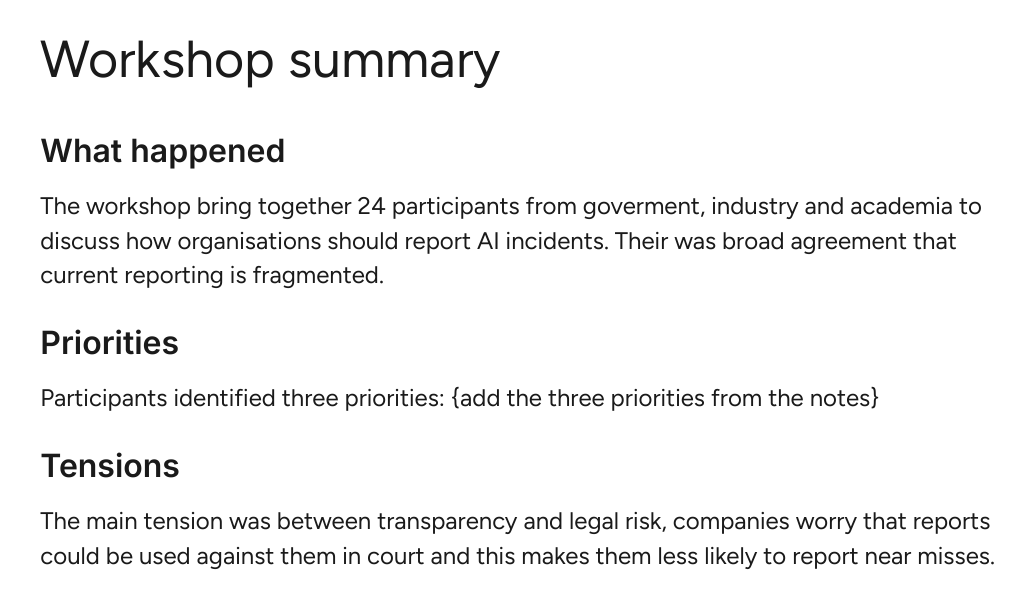
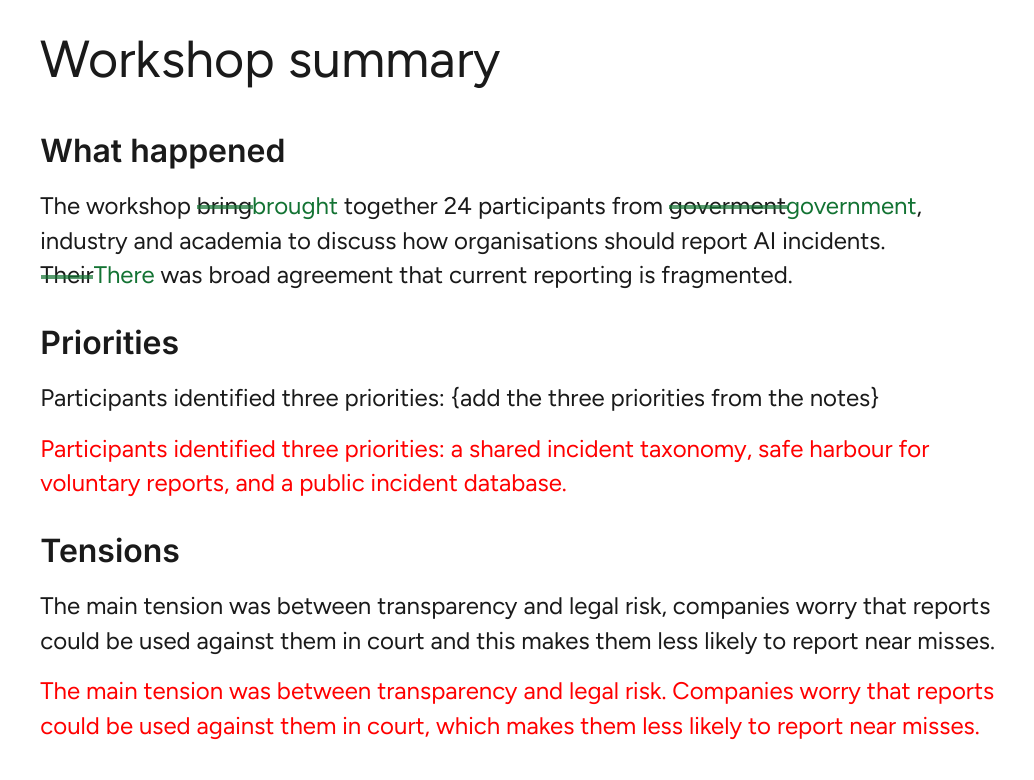
I ask Claude to review a draft in the Doc itself, not in chat. It marks its work in three ways:
- rewrites and filled-in {TBC} markers go in red under my original
- small fixes come as suggestions I accept or reject
- questions come as comments starting [Claude]
Last updated 10 October 2026
Visual overview
Where it works
| Claude Code | Works
|
|---|---|
| Cowork | Doesn't run here
|
| Claude chat | Doesn't run here
|
| Build your own | Any setup
|
Get it
Claude Code
Run these once in a terminal. To update later, run claude plugin update gdocs-suggest@aksaeri-tools.
claude plugin marketplace add aksaeri/ai-tools-public
claude plugin install gdocs-suggest@aksaeri-tools- Needs a Google account, with the gws command-line tool signed in to it.
On Windows, if you don't have an SSH key set up for GitHub, set CLAUDE_CODE_PLUGIN_PREFER_HTTPS=1 first.
Cowork
This one doesn't run in Cowork:
- Needs the gws CLI signed in to Google, which Cowork's virtual machine doesn't have.
Use Claude Code, or build your own version from the brief.
Claude chat
This one doesn't run in Claude chat:
- Needs the gws CLI signed in to Google, which Claude chat can't run.
Use Claude Code, or build your own version from the brief.
Build your own
Give the brief to your own Claude and adapt it to what you use. Read the brief.
Read https://tools.aksaeri.com/skills/gdocs-suggest/gdocs-suggest-brief.md and help me build my own version of gdocs-suggest for my setup. Ask me what I use first.